Choose a wired desk.
USB connects the printer to a supported Mac or Windows computer with the applicable driver.
Manufacturer documentation ↗ · checked 2026-10-21Research and retailer links cover US models. Check local availability and the exact regional variant before buying.
ROLLO / THE COMPUTER DESK
Build your shipping desk around the computer you already use.
Your orders and label PDFs already live on one Mac or Windows computer, and direct phone printing is not part of the plan.
Before you choose: There is no documented direct iPhone or Android print route. Sources
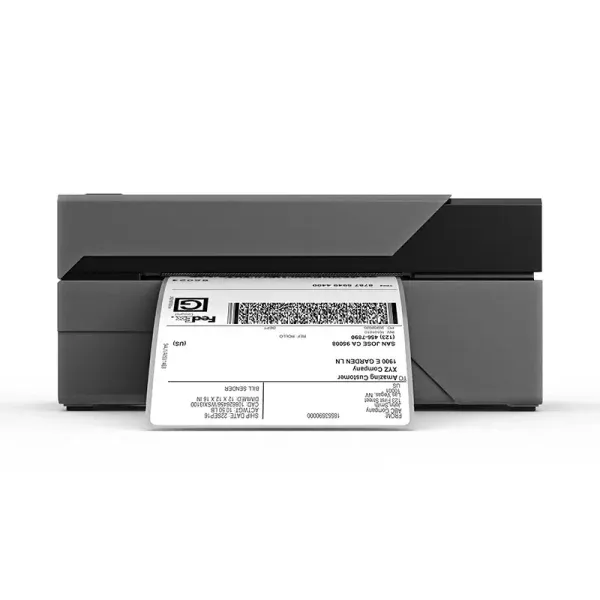 Manufacturer image · RolloNot our own test photo. Pictured accessories may be sold separately.
Keep it on the shortlist for a fixed computer desk. Do not buy it to print directly from a phone.
Check the exact US model, current software and compatible label supply. A translated page does not establish local availability or an identical regional variant.
Sources · 2026-10-13 · See buying optionsUSB connects the printer to a supported Mac or Windows computer with the applicable driver.
Manufacturer documentation ↗ · checked 2026-10-21The documented media range is 1.57–4.1 inches for compatible direct-thermal labels.
Manufacturer documentation ↗ · checked 2026-10-21The X1038 has no documented direct iPhone or Android printing route. Keep a computer in this workflow.
Manufacturer documentation ↗ · checked 2026-10-21PLAN THE WHOLE SETUP
A shopping checklist. These items are not a claim about what any retailer includes.
| Exact model | X1038 |
|---|---|
| Selected US identifier | X1038 |
| Print method | Direct thermal |
| Resolution | 203 dpi · manufacturer specification |
| Media / print width | 1.57–4.1 in |
| Label system | Compatible direct-thermal media |
| Automatic cutter | Not verified for this configuration |
| Current price / stock | See buying options for verified eBay listings. Retailer checkout confirms final price and stock. |
No direct iPhone/iPad printing route; use a computer.
No direct Android printing route; use a computer.
USB with the Rollo driver; confirm your current macOS version in downloads.
USB with the Rollo driver; confirm current OS and architecture.
A documented route is not a guarantee for every OS version, app or label size. Confirm your exact combination before buying.
START WITH YOUR DAY
Choose your situation to explore printer routes, purchase checks and a practical guide.
No direct iPhone/iPad printing route; use a computer. Check the exact app, OS and label size against the dated sources.
Compatible direct-thermal media. Documented media / print width: 1.57–4.1 in. A width specification does not confirm every template or device route. See the manufacturer documentation and check dates.
Start with one actual shipping-label file from your platform. Confirm its export format, dimensions and the supported print route for your device. A printable PDF does not establish a native platform integration.
No. These buying notes interpret manufacturer and support documentation checked on 2026-10-13. We have not measured setup time, reliability, print quality or time savings. How we research printers.
A DIFFERENT ROUTE?
Editorial shortlists by workflow, not a ranking, tested recommendation or price comparison.
When a documented Wi-Fi or iPhone print route matters.
Compatible direct-thermal media · Sources checked 2026-10-13
Compare with Rollo USB X1038 ↗For a USB workflow with DK supplies and automatic cutting.
Brother DK pre-sized and continuous rolls · Sources checked 2026-10-13
Compare with Rollo USB X1038 ↗TRACEABLE, NOT TAKEN ON TRUST
Manufacturer documentation is evidence of specifications, not an independent performance test.